Debt Snowball & Avalanche Planner Google Sheets & Excel spreadsheet
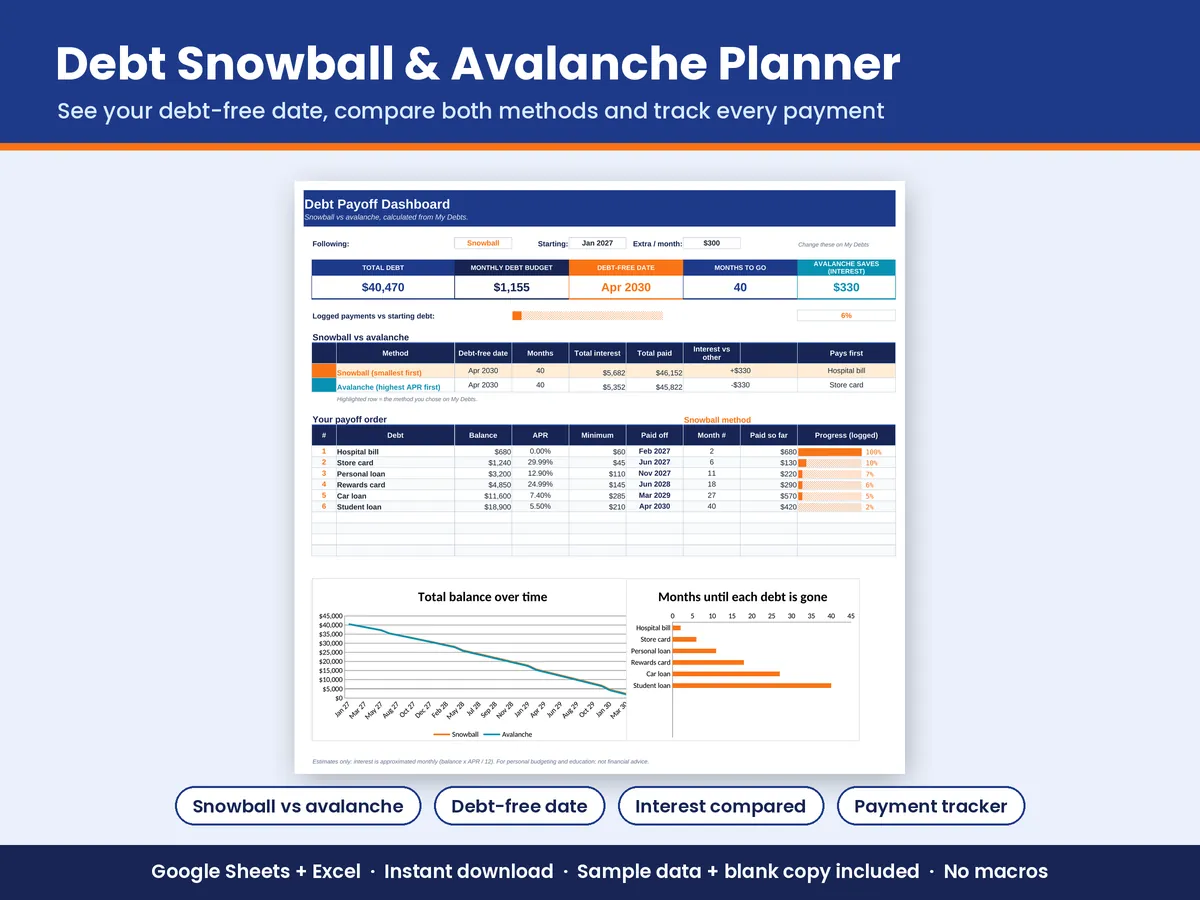
Snowball or avalanche? See both. Enter your debts once and get two complete month-by-month payoff plans, your debt-free date and the interest each method costs.
$6.99Buy nowSecure checkout on Gumroad · 30-day refund
Who it's for
Anyone paying down more than one loan, card balance or payment plan who wants a clear finish date.
How it works
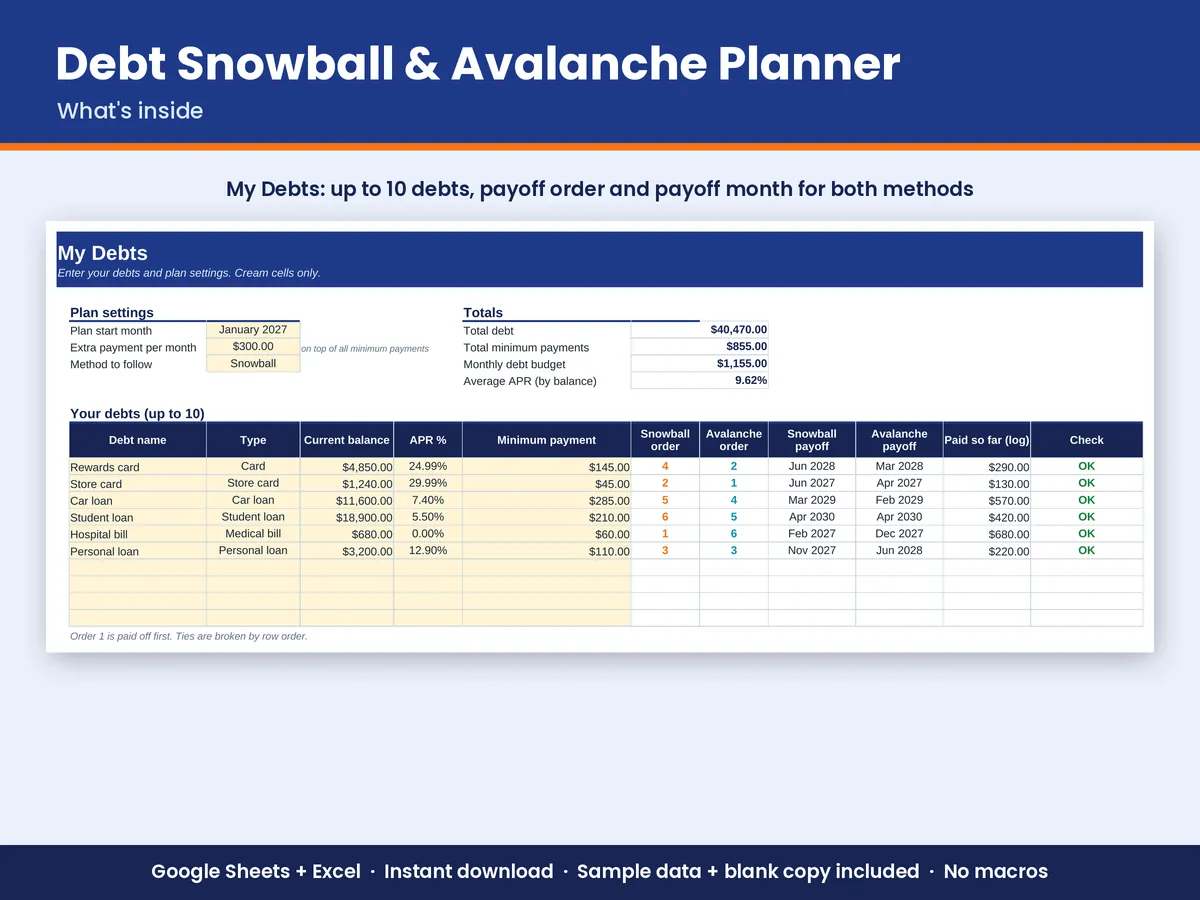
- Enter up to 10 debts: Name, balance, APR and minimum payment, plus the extra amount you can pay each month.
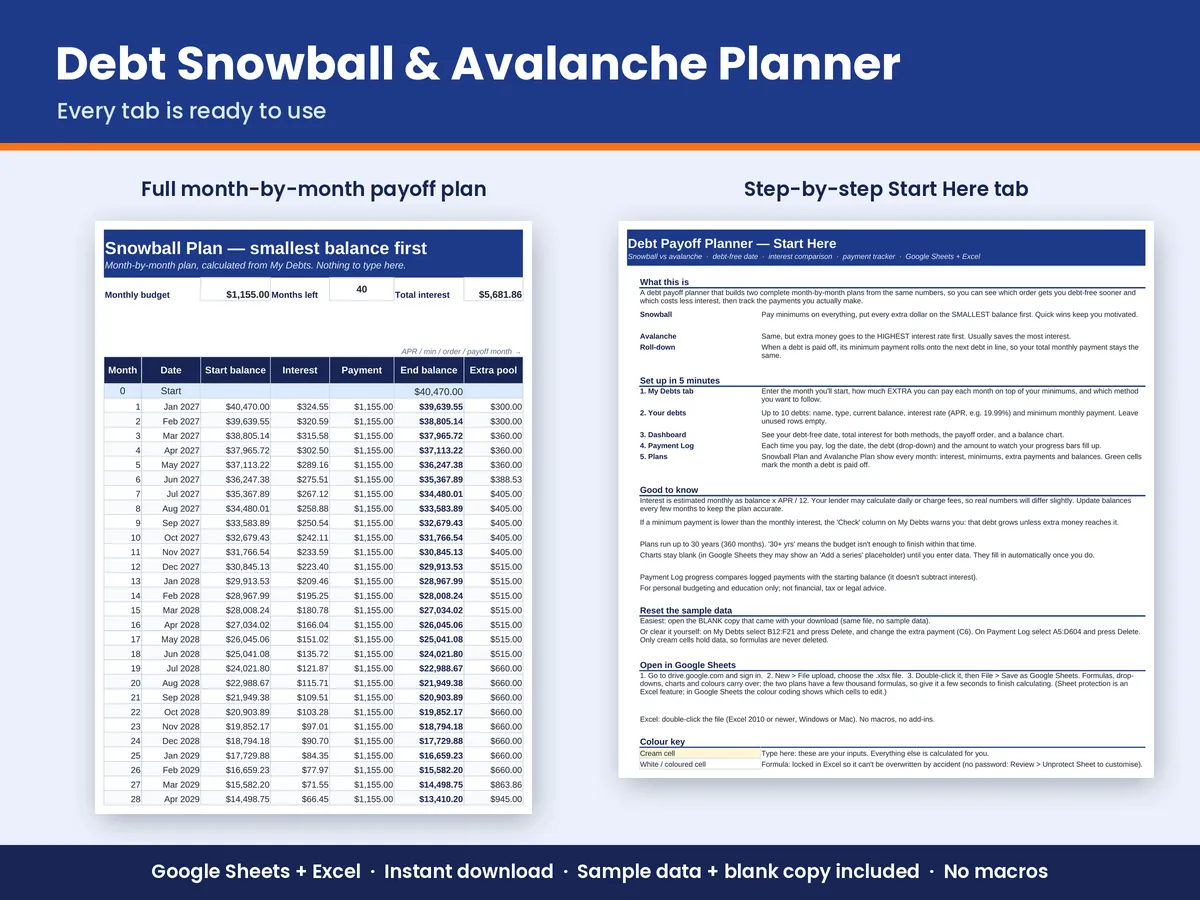
- Two full plans: Snowball (smallest balance first) and Avalanche (highest interest first). Each one rolls a paid-off debt's payment onto the next debt, month by month, for up to 30 years.
- Dashboard: Your debt-free date, months to go, total interest for both methods, how much the avalanche method saves, your payoff order with payoff dates, a total-balance chart for both methods and a months-to-payoff bar chart.
- Payment log: Record each payment and watch the progress bars fill.
- Built-in checks: A warning if a minimum payment doesn't cover the monthly interest.
What's included
- Debt-Payoff-Planner.xlsx, filled with sample data
- Debt-Payoff-Planner-BLANK.xlsx, the same file ready for your numbers
- 6 tabs: Start Here (instructions), Dashboard, My Debts, Snowball Plan, Avalanche Plan, Payment Log
- Up to 10 debts, 360-month plans and 600 payment-log rows
- Drop-down menus, colour-coded input cells, and formula cells locked in Excel (no password, so you can customise)
How to open it in Google Sheets
- Download the .xlsx file from your Gumroad receipt or download page (a computer is easiest).
- Go to drive.google.com and sign in with a free Google account.
- Click New > File upload and choose the .xlsx file.
- Double-click the file in Drive, then click File > Save as Google Sheets.
- Start on the Start Here tab. Type only in the cream-coloured cells.
- Want a fresh start? Upload the BLANK file the same way.
Excel: double-click the .xlsx (Excel 2010 or newer, Windows or Mac). There are no macros or add-ins. Not tested in Apple Numbers.
Questions
How accurate is the interest?
Interest is estimated monthly (balance × APR ÷ 12), so your lender's figures may differ by a little. The sample plan was checked against an independent calculation and matched to the cent (within 1 cent of rounding).
Will it improve my score or fix my report?
No. It's a planning spreadsheet that shows a payoff schedule. It doesn't contact lenders or any reporting agency.
Is this a subscription?
No. You pay once and keep the files forever.
What if it's not right for me?
Email us within 30 days of purchase for a full refund. See the refund policy.
Quality check: 33,655 formula cells recalculated and scanned before release, 0 errors, with sample data and blank. Made with help from AI tools for drafting formulas and text; reviewed and tested before release. This is a personal budgeting tool, not financial, tax or legal advice. Digital download; nothing physical ships.