Money Tracker Bundle All 3 templates · Google Sheets & Excel
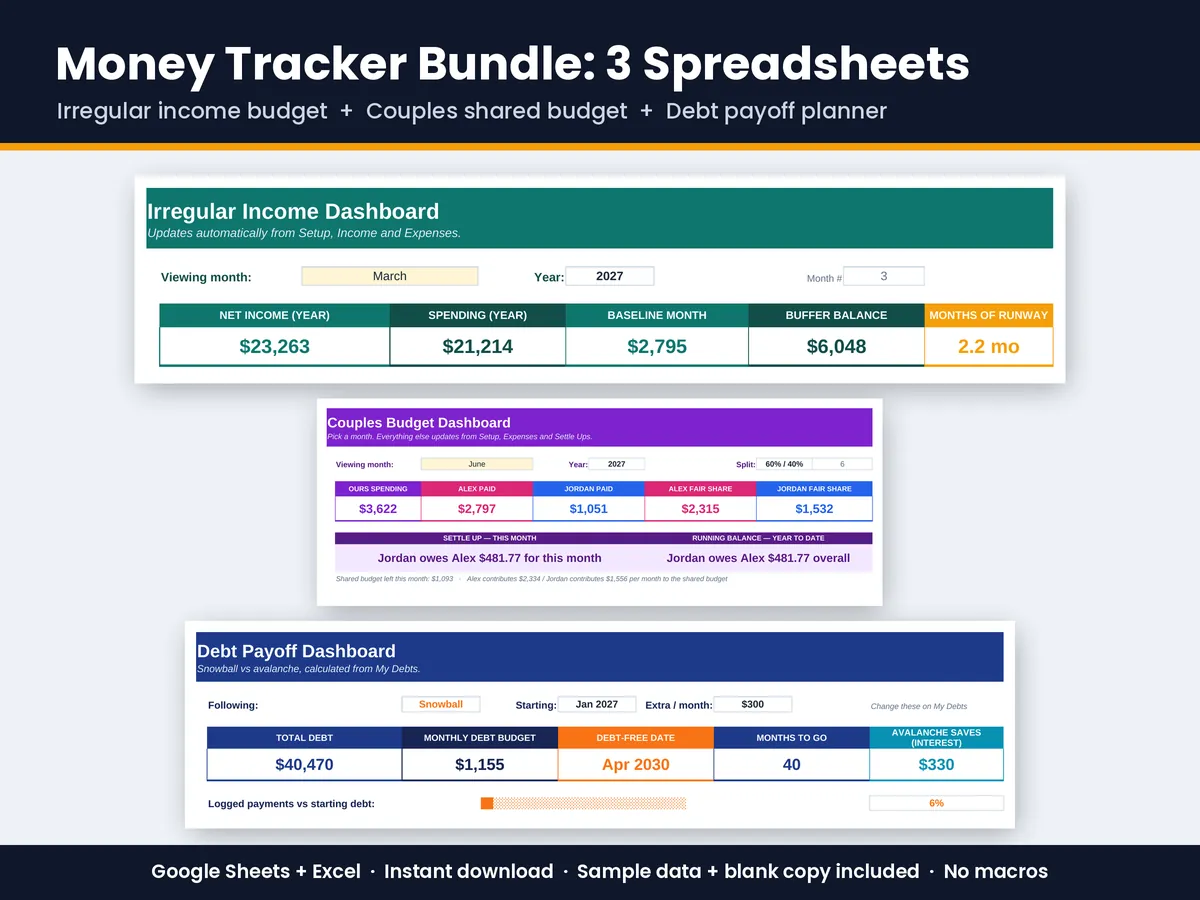
Three focused money trackers in one download: budget a paycheck that changes, share costs fairly with a partner, and pay off debt faster.
$16.99Buy the bundleSave $3.98 · secure checkout on Gumroad
In the bundle
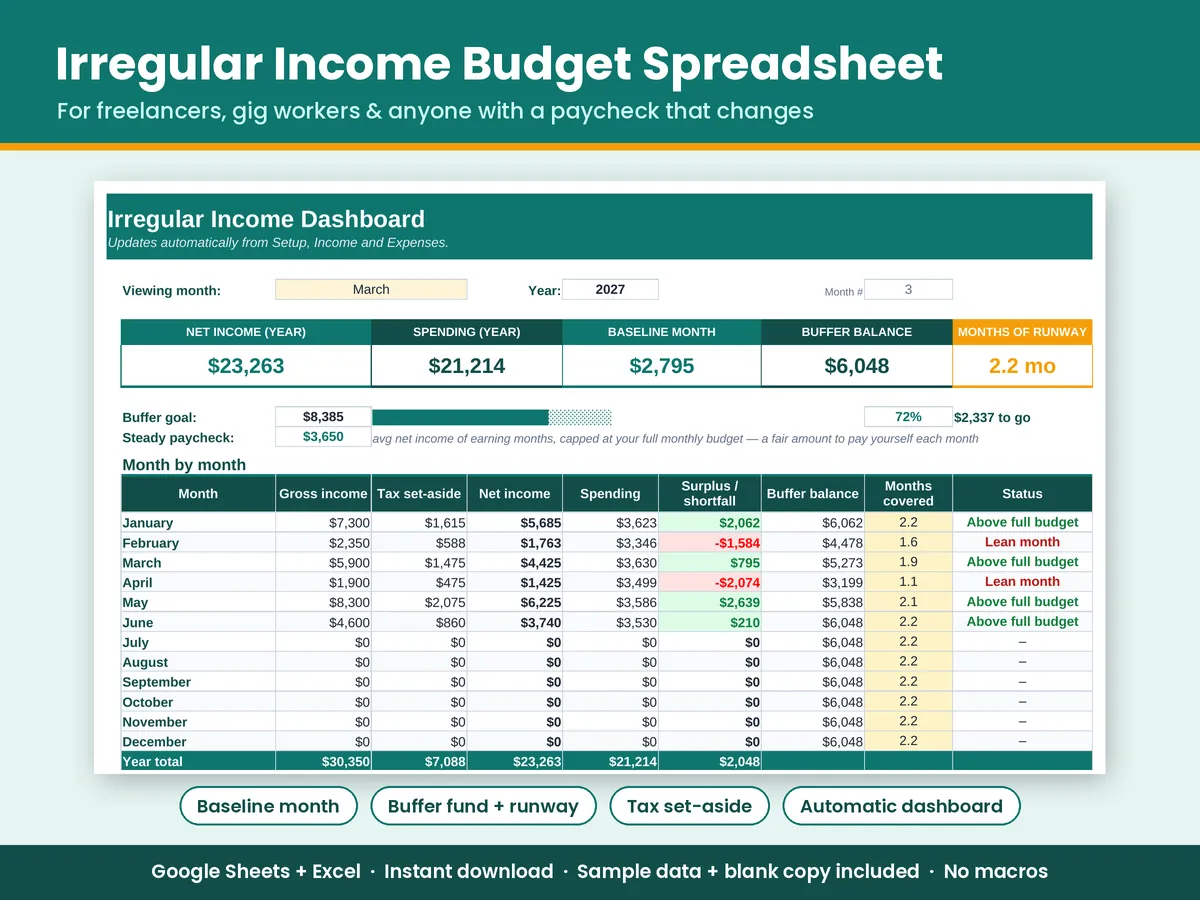
- Irregular Income Budget: For freelancers, gig workers and commission earners: budget from a baseline month and let a buffer fund smooth out lean months.
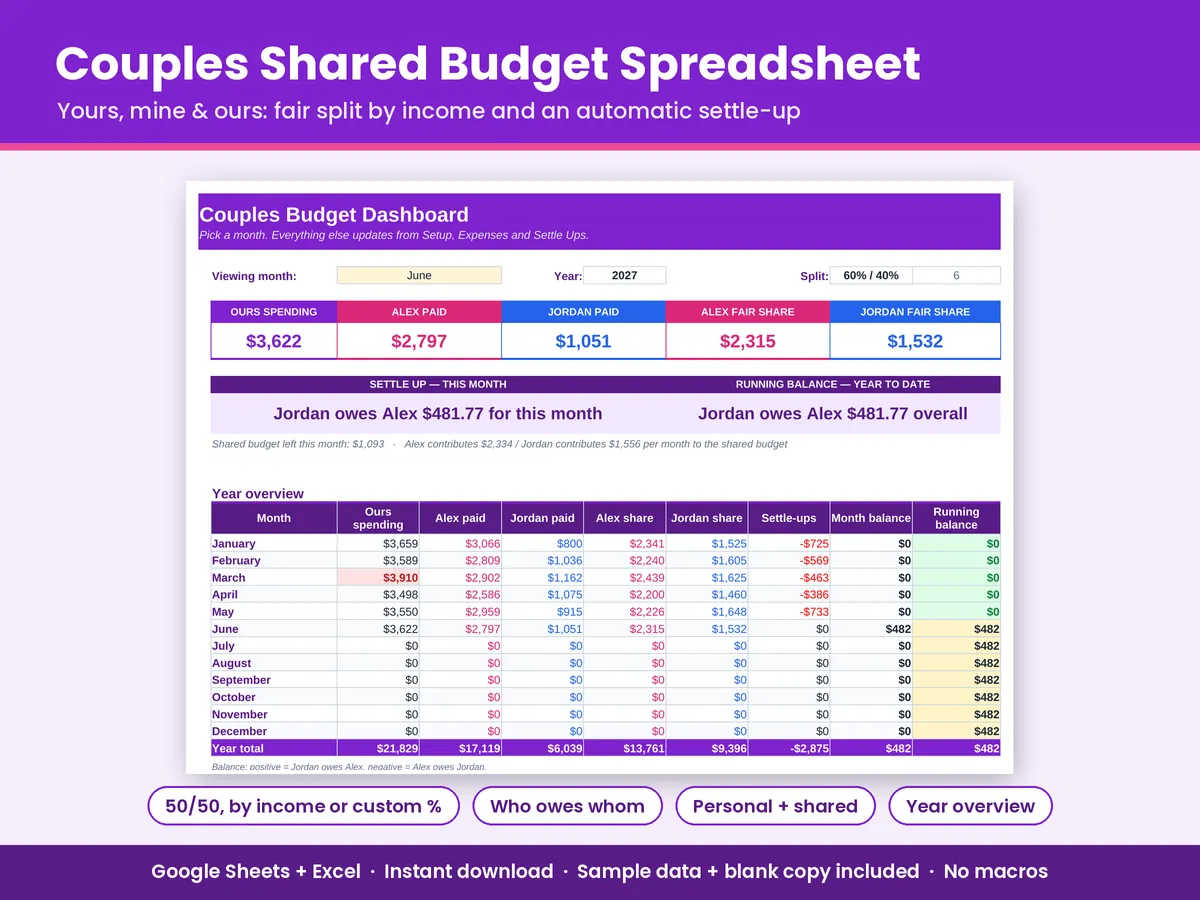
- Couples Shared Budget: Log who paid and who it was for. Pick 50/50, income-based or a custom split, and it tells you who owes whom.
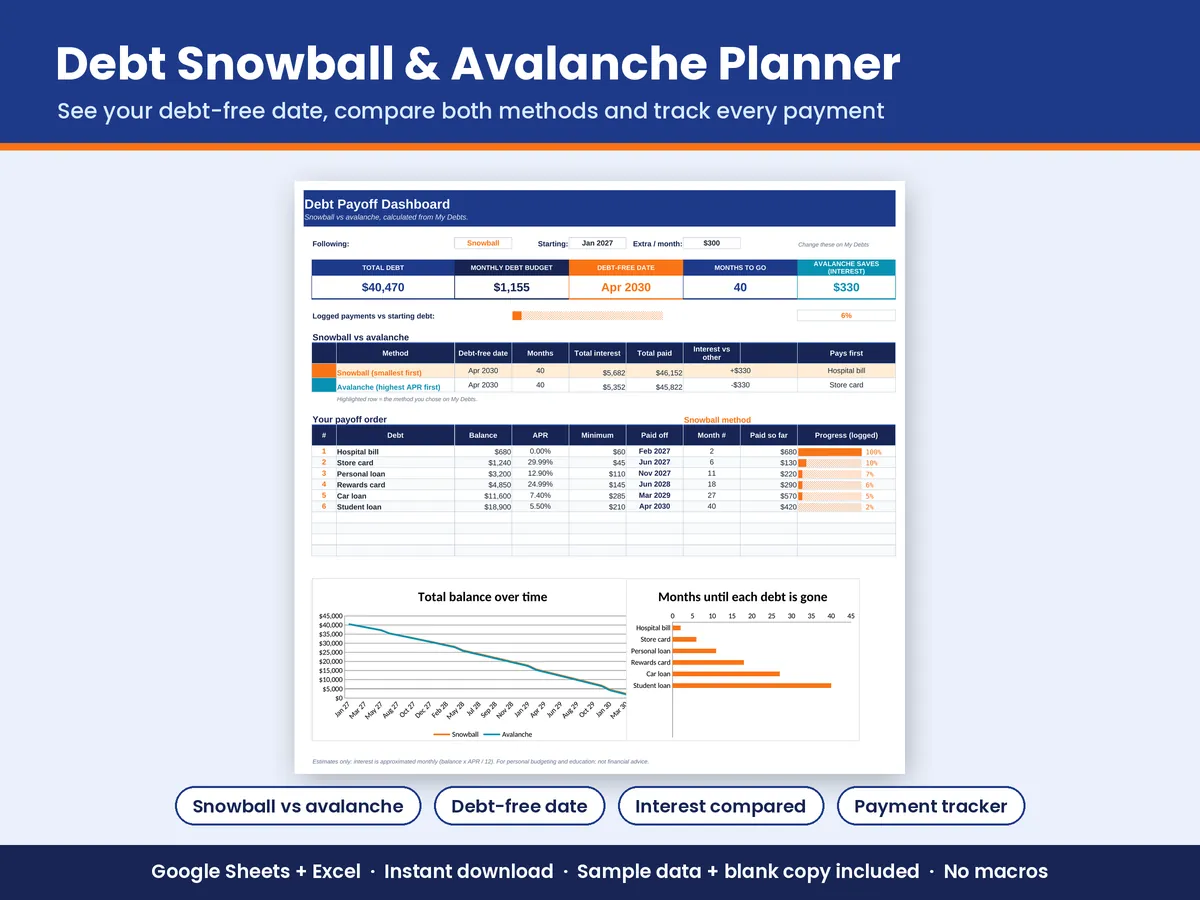
- Debt Snowball & Avalanche Planner: Enter your debts once and get two month-by-month payoff plans, your debt-free date, and the interest each method costs.
Each one has a Start Here tab, an automatic dashboard with charts and conditional formatting, sample data and a blank copy.
What's included
- Irregular-Income-Budget.xlsx + BLANK copy
- Couples-Shared-Budget.xlsx + BLANK copy
- Debt-Payoff-Planner.xlsx + BLANK copy
- 6 files in total, all working in Google Sheets and Excel, with no macros
How to open it in Google Sheets
- Download the .xlsx file from your Gumroad receipt or download page (a computer is easiest).
- Go to drive.google.com and sign in with a free Google account.
- Click New > File upload and choose the .xlsx file.
- Double-click the file in Drive, then click File > Save as Google Sheets.
- Start on the Start Here tab. Type only in the cream-coloured cells.
- Want a fresh start? Upload the BLANK file the same way.
Excel: double-click the .xlsx (Excel 2010 or newer, Windows or Mac). There are no macros or add-ins. Not tested in Apple Numbers.
Digital download; nothing physical ships. Personal budgeting tools, not financial, tax or legal advice. Made with help from AI tools for drafting formulas and text; reviewed and tested before release.