Irregular Income Budget Google Sheets & Excel spreadsheet
Paid differently every month? Most budget templates assume the same paycheck every month. This one is built for freelancers, gig workers, creators and commission earners.
$6.99Buy nowSecure checkout on Gumroad · 30-day refund
Who it's for
Freelancers, gig workers, creators, contractors, commission and seasonal earners.
How it works
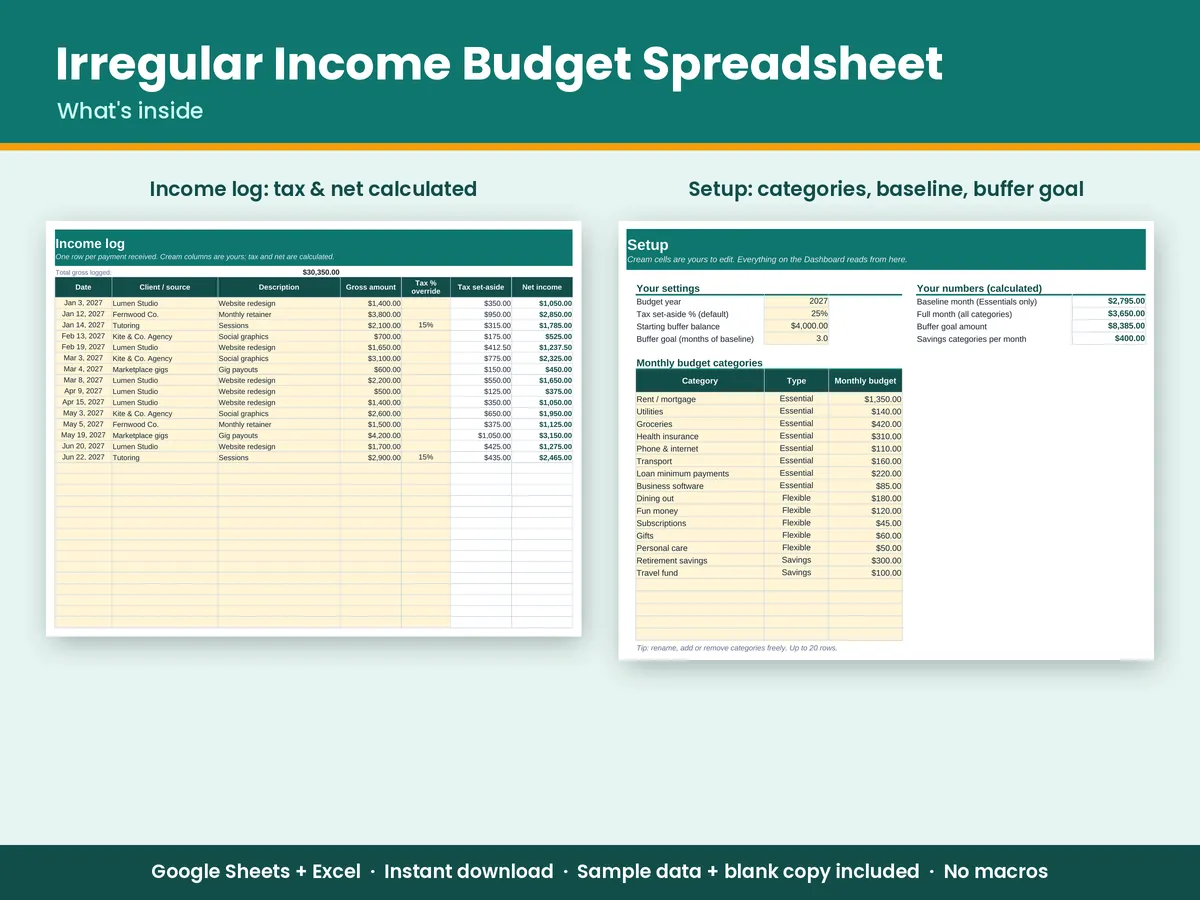
- Baseline month: Mark each category Essential, Flexible or Savings. The essentials add up to the minimum you need every month.
- Income log: Enter each payment as it arrives. The sheet sets aside your tax % automatically (a default or per payment) and shows the net amount.
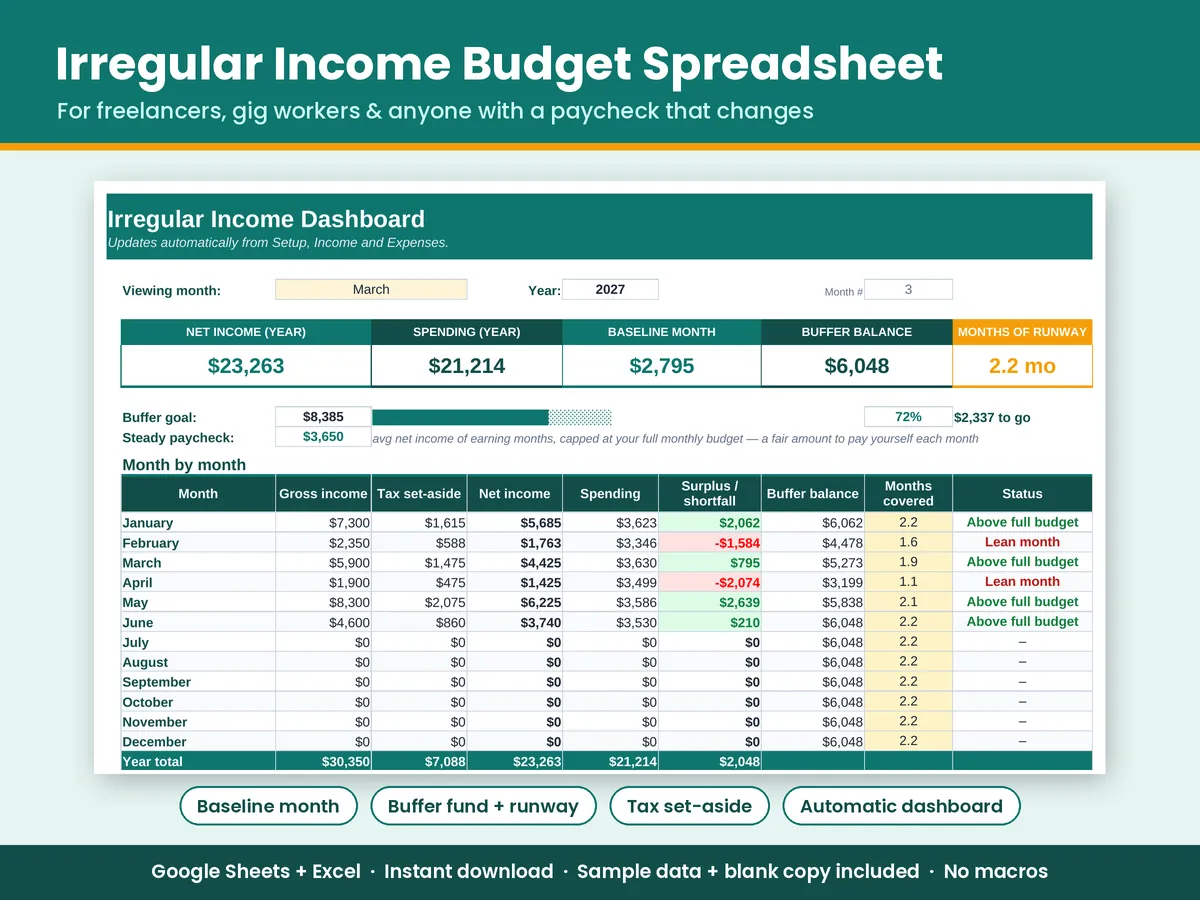
- Buffer fund: Good months fill your buffer and lean months draw from it. The dashboard shows your balance, how many months of runway you have, and progress toward your goal.
- Steady paycheck: A suggested amount to pay yourself the same way every month.
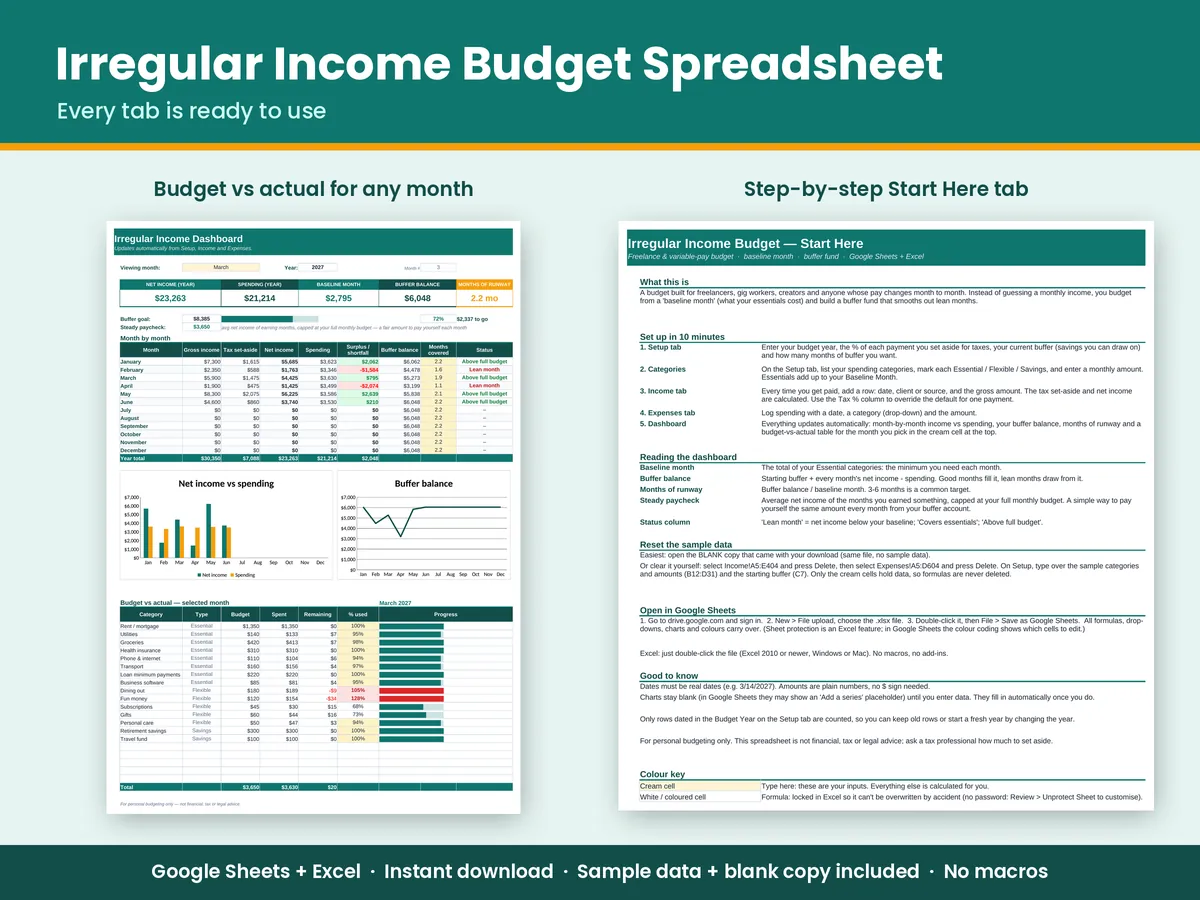
- Dashboard: A 12-month table (gross, tax, net, spending, surplus or shortfall, status), an income vs spending chart, a buffer balance chart, and budget vs actual with progress bars for any month you pick.
What's included
- Irregular-Income-Budget.xlsx, filled with sample data so you can see how it works
- Irregular-Income-Budget-BLANK.xlsx, the same file ready for your numbers
- 5 tabs: Start Here (instructions), Dashboard, Setup, Income, Expenses
- Up to 20 budget categories, 400 income rows and 600 expense rows
- Drop-down menus, colour-coded input cells, and formula cells locked in Excel so they aren't overwritten by accident (no password, so you can customise)
How to open it in Google Sheets
- Download the .xlsx file from your Gumroad receipt or download page (a computer is easiest).
- Go to drive.google.com and sign in with a free Google account.
- Click New > File upload and choose the .xlsx file.
- Double-click the file in Drive, then click File > Save as Google Sheets.
- Start on the Start Here tab. Type only in the cream-coloured cells.
- Want a fresh start? Upload the BLANK file the same way.
Excel: double-click the .xlsx (Excel 2010 or newer, Windows or Mac). There are no macros or add-ins. Not tested in Apple Numbers.
Questions
Does it work if I have a salary plus side income?
Yes. Log the salary as one income source and side payments as others. The tax set-aside can be set per payment, so you can use 0% on salary that already has tax withheld.
Is this a subscription?
No. You pay once and keep the files forever.
What if it's not right for me?
Email us within 30 days of purchase for a full refund. See the refund policy.
Quality check: 1,064 formula cells recalculated and scanned before release, 0 errors, with sample data and blank. Made with help from AI tools for drafting formulas and text; reviewed and tested before release. This is a personal budgeting tool, not financial, tax or legal advice. Digital download; nothing physical ships.